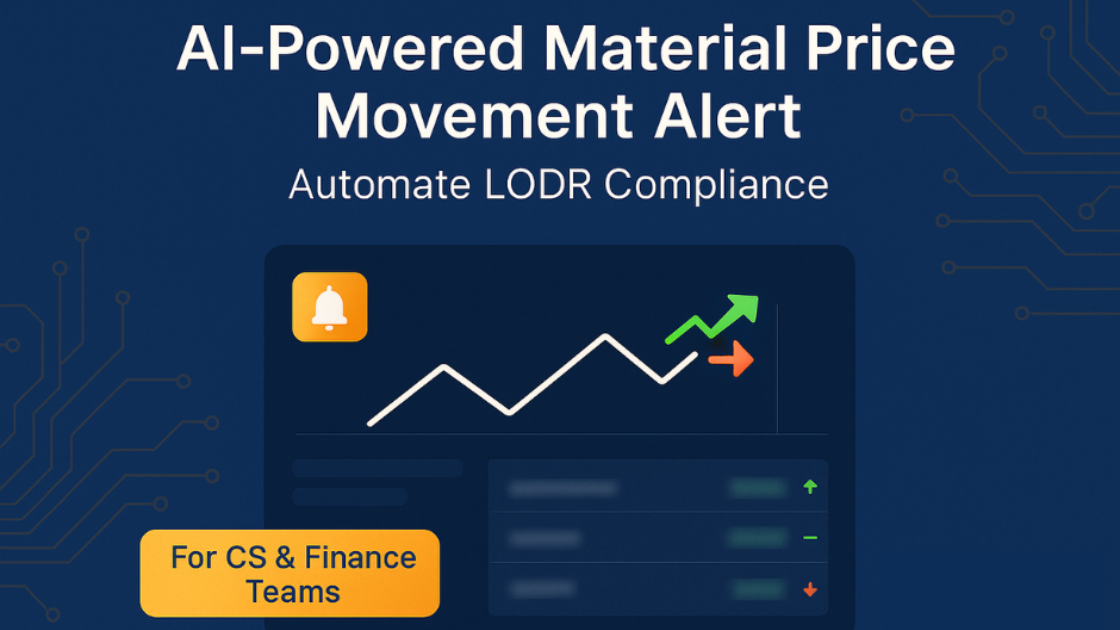
Staying compliant with LODR regulations requires constant vigilance over stock price movements. Wizikey’s Material Price Movement (MPM) Alert feature automates this process, ensuring you never miss critical price threshold breaches that could trigger disclosure obligations. Here’s your complete guide to setting up MPM Alerts for seamless compliance monitoring.
Prerequisites: Getting Started with MPM Alerts
Before diving into the setup process, ensure you have access to Wizikey’s Material Price Movement Alert feature. This is an add-on subscription service that needs to be activated for your account.
Step 1: Subscribe to MPM Alerts Feature
Contact your Wizikey account manager or visit the subscription section in your dashboard to activate the MPM Alerts feature. This specialized tool requires a separate subscription due to its advanced AI-powered monitoring capabilities and real-time data processing requirements.
Setting Up Your Stock Monitoring Universe
Step 2: Add Stock Ticker Details
Once subscribed, you’ll need to configure the stocks you want to monitor. Navigate to your project settings under Modify Project and locate the “Stock Tickers” section.
Adding Your Brand and Competition Tickers
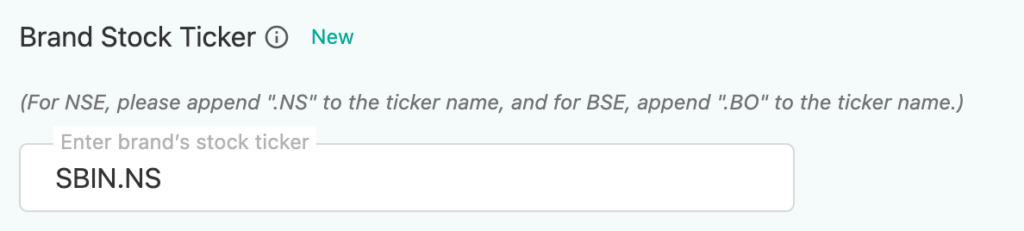
Input the stock ticker symbols for both your company and key competitors. This comprehensive monitoring approach provides valuable market context when price movements occur.
Important Ticker Format Requirements:
- For NSE-listed stocks: Add
.NSsuffix (e.g.,RELIANCE.NS) - For BSE-listed stocks: Add
.BOsuffix (e.g.,RELIANCE.BO)
Example Ticker Setup:
- Your Brand:
YOURCOMPANY.NS - Competitor 1:
COMPETITOR1.NS - Competitor 2:
COMPETITOR2.BO
Ensure accuracy in ticker symbols as incorrect entries will result in failed monitoring. The system tracks these specific tickers for all price deflections and market movements.
Creating Your First MPM Alert
Step 3: Navigate to Alert Creation
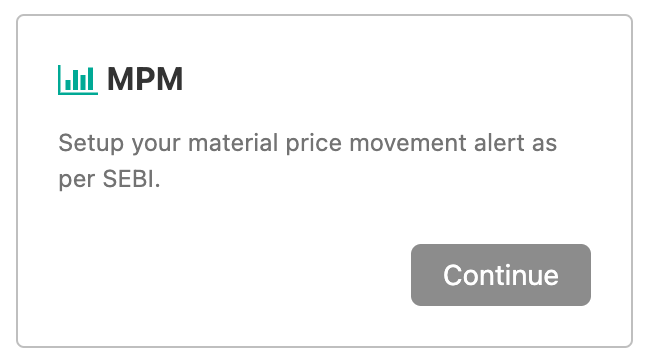
From your Wizikey dashboard:
- Go to the “Alerts” section
- Click “Create New Alert”
- Select “MPM” (Material Price Movement) from the alert type options
Step 4: Configure Alert Parameters
Project Selection
Choose the relevant project or campaign this alert should be associated with. This helps organize alerts and ensures proper team access and reporting.
Recipient Configuration
Add team members who should receive MPM alerts. Typically include:
- Company Secretary team members
- Finance team leads
- Investor Relations personnel
- Legal compliance officers
Subject Line Customization
Set up a clear, actionable subject line for your alerts. Consider formats like:
- “MPM Alert: [Company] stock threshold breached”
- “Price Movement Detected: [Ticker] – [Percentage]% change”
- “URGENT: Material price movement – [Company Name]”
Step 5: Define Monitoring Criteria
Select what you want to monitor based on your compliance requirements:
Monitoring Options:
- Brand Only: Monitor your company’s stock exclusively
- Competition Only: Track competitor price movements for market context
- Both Brand and Competition: Comprehensive monitoring for complete market visibility
For LODR compliance, most companies choose “Both” to understand their stock performance relative to industry movements.
Setting Critical Threshold Parameters
Step 6: Configure Price Movement Thresholds
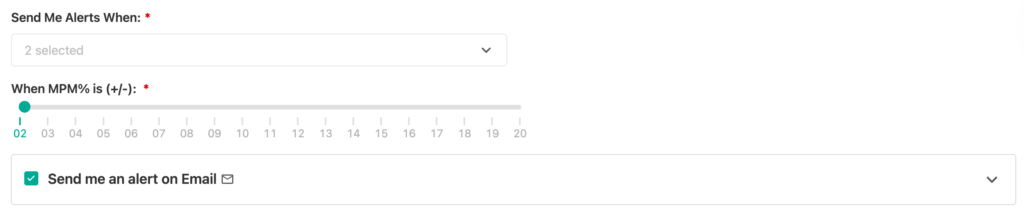
This is the most crucial step for compliance effectiveness. Set the percentage threshold that will trigger alerts when breached.
Understanding Threshold Settings
The threshold is configured as a positive/negative percentage (+/-%) from the stock’s baseline price. When the stock price moves beyond this percentage in either direction, the alert activates.
Common Threshold Configurations:
- Conservative Approach: ±5% for highly sensitive monitoring
- Standard LODR Compliance: ±10% (typical regulatory threshold)
- Strategic Monitoring: ±15% for broader market movement tracking
Example Threshold Setup
If you set a ±10% threshold:
- Upward Alert: Triggers when stock rises 10% or more
- Downward Alert: Triggers when stock falls 10% or more
Step 7: Save and Activate
Click “Save” to activate your MPM Alert. The system immediately begins monitoring your configured tickers against the set thresholds.
Understanding Alert Triggers and Responses
What Happens When Thresholds Are Breached
When your stock price crosses the configured threshold, the MPM Alert system automatically:
- Sends Real-Time Notifications to all configured recipients
- Aggregates News Mentions from the last 24 hours related to your brand
- Provides Market Context showing price movement details and timing
Alert Content and Intelligence
Each MPM Alert includes:
- Exact percentage change that triggered the alert
- Current stock price and movement direction
- Timestamp of threshold breach
- Comprehensive news mentions from the past 24 hours
- Market context if competitor stocks are also monitored
Post-Alert Action Steps
Step 8: Review and Respond
When you receive an MPM Alert:
Immediate Assessment
- Review the news mentions provided in the alert
- Analyze price movement context against market conditions
- Verify internal developments that might explain the movement
Compliance Decision Making
Based on your analysis:
- Determine materiality of the price movement
- Assess disclosure requirements under LODR regulations
- Prepare exchange notifications if required
Exchange Notification Process
If the price movement requires disclosure:
- Draft clarification statements based on alert intelligence
- Submit to relevant stock exchanges within regulatory timeframes
- Monitor market response to your disclosures
Best Practices for MPM Alert Management
Regular Threshold Review
- Quarterly assessment of threshold effectiveness
- Adjust percentages based on stock volatility patterns
- Consider market conditions when setting thresholds
Team Coordination
- Establish clear escalation procedures for alert responses
- Define roles and responsibilities for different team members
- Create response templates for common scenarios
Documentation and Compliance
- Maintain records of all MPM alerts and responses
- Document decision-making processes for regulatory audits
- Track response times to ensure compliance with exchange requirements
Troubleshooting Common Issues
Alert Not Triggering
- Verify ticker symbols are correctly formatted with proper suffixes
- Check threshold settings aren’t too high for normal market volatility
- Confirm subscription status for MPM Alerts feature
Missing News Mentions
- Ensure brand names are correctly configured in your profile
- Check spelling variations that might affect news aggregation
- Contact support if persistent issues occur
Maximizing MPM Alert Value
Strategic Monitoring
Use MPM Alerts not just for compliance but for:
- Competitive intelligence gathering
- Market sentiment analysis
- Investor relations preparation
- Strategic communication planning
Integration with Existing Workflows
- Connect with existing compliance management systems
- Integrate alert data into regular reporting processes
- Use insights for board reporting and strategic planning