Managing a PR workspace efficiently starts with knowing who has access to what. User roles in Wizikey are designed to give teams the right level of control without compromising security or workflow. Here’s a breakdown of how user roles in Wizikey work.
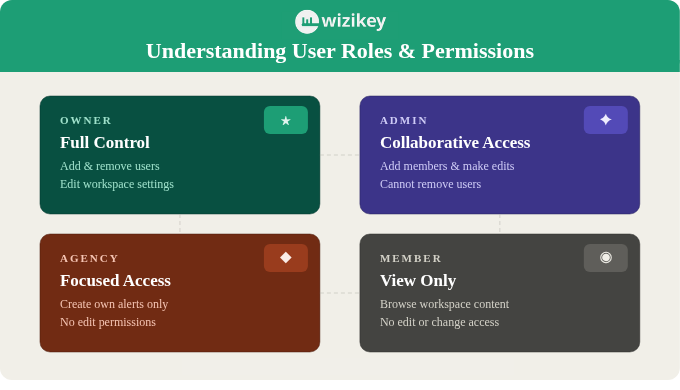
Owners: The Decision Makers
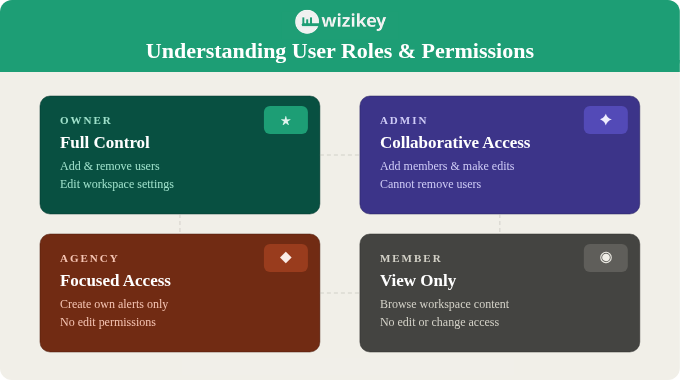
At the top of the hierarchy sit Owners. They have unrestricted access to the workspace, from adding and removing users to editing core workspace settings. This role is best suited for founders, senior PR leads, or account managers who need complete oversight of the platform. Think of Owners as the gatekeepers of your Wizikey environment.
Admins: The Collaborators
Admins are empowered to do a lot, but with guardrails in place. They can add new team members and make edits across the workspace, but they cannot remove existing users. This makes the Admin role ideal for team leads or managers who are actively involved in day-to-day operations but do not need the full authority of an Owner.
Agency: The Focused Users
The Agency role is built for external collaborators or agency partners who need just enough access to do their job. They can create alerts for themselves but cannot edit anything within the workspace. It is a read-light role that keeps sensitive workspace data protected while still allowing meaningful participation.
Members: The Viewers
Members sit at the base of the role pyramid with view-only access. They can browse and consume information within the workspace but cannot make any changes. This role works well for stakeholders or junior team members who need visibility without edit permissions.
Why It Matters
A well-structured role system is not just about access control, it is about accountability. Wizikey’s four-tier role framework ensures that the right people have the right tools, keeping your PR workflow smooth, secure, and scalable.
Register now to see this in action.